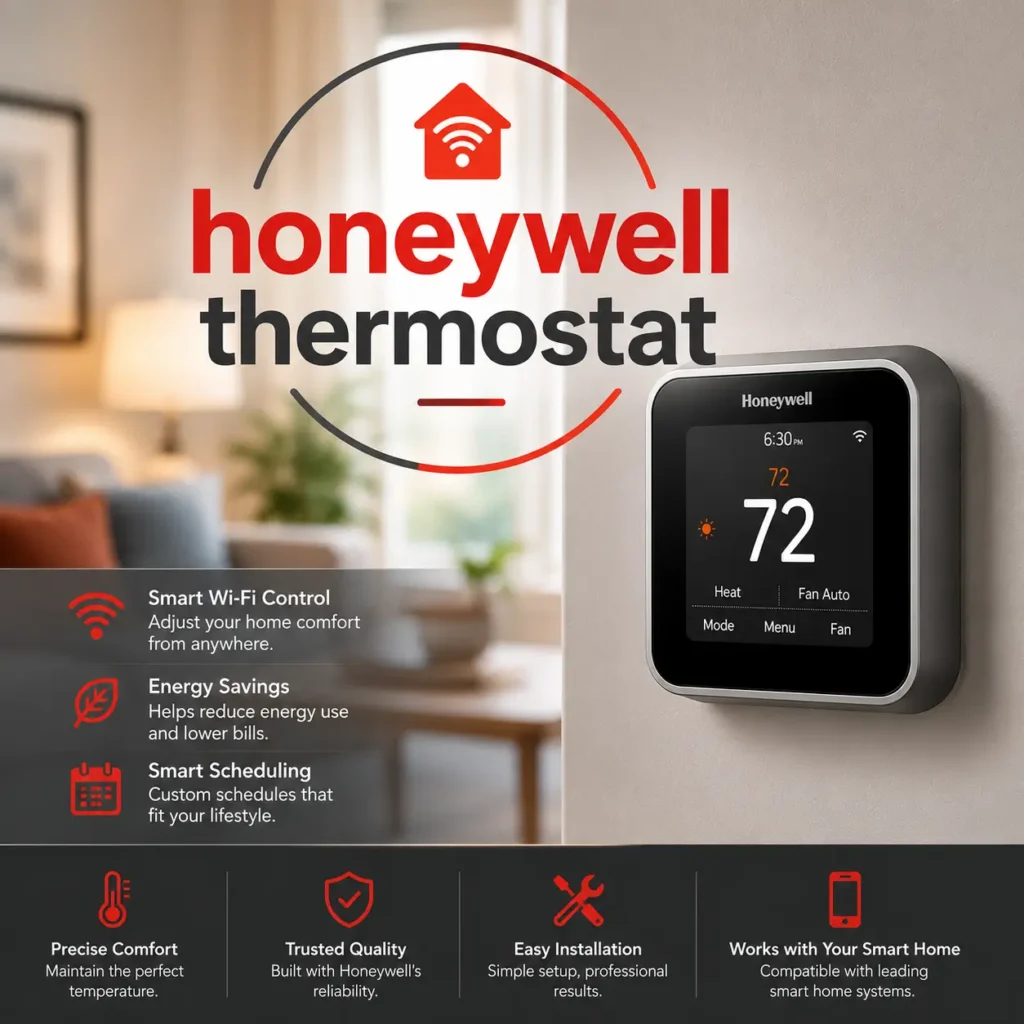

Your home should be comfortable. Always. Without you having to think about it.
That is exactly what a Honeywell Thermostat is designed to deliver.
Honeywell has been making thermostats for over 130 years. That is more than a century of innovation, reliability, and trusted performance in American homes. Today, their smart thermostat lineup is one of the most popular in the USA.
But with so many models and features, it can be hard to know where to start.
In this complete guide, we cover everything. What Honeywell thermostats are, which models stand out in 2026, what smart features actually matter, how to install one yourself, and how to fix common problems.
Let us get into it.
What Is a Honeywell Thermostat?
A Honeywell Thermostat is a home climate control device made by Honeywell Home, which operates under the parent company Resideo Technologies.
These thermostats connect to your home’s HVAC system and control your heating and cooling automatically. They range from simple non-programmable units to advanced smart thermostats with Wi-Fi, voice control, and app connectivity.
Here is what makes Honeywell thermostats different from basic models:
- They learn your schedule and adjust temperatures automatically
- They connect to your smartphone so you can control them from anywhere
- They work with voice assistants like Alexa, Google Assistant, and Siri
- They track your energy usage and help you save on monthly bills
- They send maintenance reminders so your HVAC system stays healthy
Honeywell thermostats are designed for real American homeowners. Not just tech enthusiasts. The goal is to make smart home technology accessible, easy to use, and genuinely useful in everyday life.
Whether you live in a small apartment or a large family home, there is a Honeywell thermostat built for your setup.
At Smart Home Fix, we help US homeowners navigate home improvement and smart home decisions with honest, practical information. They are one of the most searched products in our space. This guide is built to help you understand them fully before you buy or upgrade.
Honeywell Thermostat Models: Which One Is Right for You?
Honeywell offers multiple thermostat models in 2026. Each one targets a different type of homeowner. Here is a detailed breakdown of the three models getting the most attention right now.
Honeywell Home T9 Smart Thermostat
The T9 is the best all-around Honeywell thermostat for most US homes in 2026.
It comes with one remote room sensor included and supports up to 20 additional sensors. This is the feature that makes it stand out. Instead of only measuring the temperature in the hallway where the thermostat sits, the T9 measures temperature in the rooms that actually matter to you.
You choose which room to prioritize at any given time. Bedroom at night. Living room in the evening. Home office during work hours. The system adjusts heating and cooling based on where you actually are.
Key highlights of the T9:
- Full-color touchscreen that is easy to read from across the room
- Remote room sensor included in the box
- Geofencing that detects when you leave home and saves energy automatically
- Compatible with Alexa, Google Assistant, and Apple HomeKit
- ENERGY STAR certified for proven energy savings
- Best suited for homes between 1,500 and 3,000 square feet with central HVAC
If your home has rooms that are always too hot or too cold, the T9 solves that problem in a way that most thermostats cannot.
Honeywell Home X8S Smart Thermostat
The X8S is Honeywell’s most advanced thermostat as of 2026. It is in a different class from the T9 and is designed for homeowners who want a true smart home hub on their wall.
Here is what makes the X8S extraordinary:
- Five-inch edge-to-edge touchscreen, the largest on any mainstream smart thermostat
- Built-in video doorbell compatibility with Ring and First Alert systems
- Indoor air quality monitoring tracks humidity, VOCs, and air freshness
- Proactive HVAC diagnostics that alert you to potential system problems before they become failures
- Five-day weather forecast displayed directly on screen
- Matter certified for broad smart home compatibility
- Customizable display themes and color schemes
- ENERGY STAR certified with average savings of around $204 per year based on Honeywell data
The X8S is hardwired and requires a C-wire. It is not the most budget-friendly option. But for homeowners who want a premium, feature-packed thermostat that does far more than control temperature, it is one of the most impressive devices available in 2026.
Honeywell Home X2S Smart Thermostat
The X2S is the entry-level smart option in Honeywell’s current lineup. And it delivers serious value.
It does not have a touchscreen. Instead, it uses physical rubber buttons that feel familiar and reliable. For homeowners who find touchscreens fiddly, this is actually a welcome design choice.
What the X2S offers:
- Wi-Fi connectivity for remote app control
- ENERGY STAR certification
- Smart scheduling with flexible programming options
- Auto-away mode that reduces energy use when you leave
- Humidity monitoring
- Filter change reminders
- Matter certified for future-proof smart home compatibility
- Compatible with Alexa, Google Assistant, and Apple HomeKit
The X2S is the right choice for homeowners who want smart thermostat benefits without paying for premium features they will never use. It is affordable, reliable, and easy to install.
Key Smart Features of Honeywell Thermostat
Across the range, it shares a set of core smart features that make them worth upgrading to. Here is a deep dive into each one.
Smart Scheduling and Auto Away
Smart scheduling is the foundation of energy savings with any Honeywell thermostat.
You set a weekly temperature schedule based on your routine. The thermostat follows that schedule automatically. No manual adjustments needed. No coming home to a sweltering house or a freezing office.
Honeywell’s adaptive scheduling goes one step further. The system learns how long your HVAC takes to reach a target temperature. It starts heating or cooling early, so your home is comfortable exactly when you need it. Not five minutes after.
The auto-away feature adds another layer of efficiency. When the thermostat detects that no one is home, it automatically shifts to an energy-saving temperature. When you return, it brings your home back to your preferred comfort level. No wasted energy. No manual adjustments required.
Together, smart scheduling and auto-away can reduce your heating and cooling costs noticeably from the very first month.
Remote Control via App
The Honeywell Home app turns your smartphone into a thermostat remote.
From anywhere in the world, you can:
- Adjust your home’s temperature in real time
- Change your weekly schedule
- Switch between heating, cooling, and fan-only modes
- Check current temperature and humidity
- View your energy usage history
- Receive maintenance alerts and filter change reminders
The app is available for both iOS and Android. It has a clean, straightforward interface. Most users find it easy to navigate from day one without needing to read any instructions.
A remote control is especially useful for US homeowners who travel or have unpredictable schedules. Forgot to turn down the heat before a weekend trip? Open the app and fix it in ten seconds from anywhere.
Voice Assistant and Smart Home Integration
Every current Honeywell smart thermostat works with major voice assistants. This includes:
- Amazon Alexa
- Google Assistant
- Apple HomeKit and Siri
Voice control means you can adjust your temperature hands-free. Walking into a hot kitchen while cooking? Just say the words and your thermostat responds instantly. No touching the wall. No picking up your phone.
The Matter certification on newer models like the X2S and X8S is a significant advantage. Matter is a universal smart home standard that ensures your thermostat works seamlessly across different platforms and ecosystems. It also future-proofs your purchase as more devices adopt the standard over time.
For homeowners already using smart home hubs, Honeywell thermostats integrate naturally into existing routines. You can build automations like turning down the heat when your smart lock detects you have left home or warming up the house when your smart alarm goes off in the morning.
Room Sensors and Geofencing
These two features work together to make Honeywell thermostats smarter than their competitors in practical, everyday use.
Room sensors solve one of the oldest thermostat problems. A standard thermostat only measures temperature where it is mounted, usually a hallway. The rest of your house might be ten degrees different and the thermostat has no idea.
Honeywell’s room sensors communicate wirelessly with the thermostat. You can place them in bedrooms, living rooms, or any space that matters. The thermostat uses that sensor data to manage your whole home more accurately.
Geofencing uses your smartphone’s GPS. When you leave a defined area around your home, the thermostat detects your phone moving away and automatically shifts to an energy-saving mode. When you get close to home again, it starts bringing your home to your preferred temperature before you even arrive.
Combined, room sensors and geofencing make your Honeywell thermostat genuinely intelligent. It responds to where you are and what your home actually needs rather than just following a fixed schedule.
How to Install a Honeywell Thermostat Step by Step
Most Honeywell thermostats are designed for DIY installation. Here is a complete walkthrough.
Step 1: Turn off the power to your HVAC system.
Go to your home’s circuit breaker and switch off the circuit that controls your heating and cooling system. This is a critical safety step. Never work on thermostat wiring with power on.
Step 2: Remove your old thermostat.
Remove the cover from your existing thermostat. Take a photo of the wiring before disconnecting anything. This photo is your reference for reconnecting wires to the new thermostat correctly.
Step 3: Label each wire.
Use small pieces of tape and a pen to label each wire with the letter of its terminal. Common terminals include R, C, G, Y, W, and others, depending on your system type.
Step 4: Check for a C-wire.
Some Honeywell models, particularly the X8S, require a C-wire for continuous power. If your current setup has a C-wire, installation is straightforward. If not, Honeywell provides a plug-in power adapter called the THX9421R5021WW that adds C-wire functionality without rewiring.
Step 5: Mount the new base plate.
Attach the new Honeywell thermostat’s base plate to the wall. Use the included mounting hardware. Make sure it is level. A crooked thermostat is a small thing but it will bother you every time you walk past it.
Step 6: Connect the wires.
Match each labeled wire to the corresponding terminal on the new thermostat base. Push each wire in firmly until it clicks or locks in place.
Step 7: Attach the thermostat display.
Snap the thermostat display onto the mounted base plate. It should click securely into place.
Step 8: Restore power
Switch the circuit breaker back on. Your Honeywell thermostat should power up and display the setup screen.
Step 9: Complete the setup wizard.
Follow the on-screen instructions to set your location, HVAC system type, and connect to your Wi-Fi network. Download the Honeywell Home app and link your thermostat to complete the smart setup.
The full process typically takes 30 to 60 minutes for most US homeowners. If you are not comfortable working with wiring, professional installation is always a safe option.
How to Use the Honeywell Home App
Once your thermostat is installed and connected to Wi-Fi, the Honeywell Home app becomes your control center.
Here is how to get the most out of it.
Download and create your account: Download the Honeywell Home app from the App Store or Google Play. Create a free account using your email address. This account links all your Honeywell devices in one place.
Add your thermostat: In the app, tap Add Device and follow the steps to connect your thermostat. You will need your home Wi-Fi password. The process takes about two minutes.
Set your schedule: Go to the Schedule section and create a weekly temperature program. Set different temperatures for waking up, leaving home, returning home, and going to sleep. The thermostat follows this schedule automatically every day.
Enable geofencing: In the app settings, turn on geofencing and allow location access on your phone. The app will automatically adjust your thermostat based on whether you are home or away. This is one of the most effective energy-saving features available.
Check your energy reports: The app shows detailed energy usage history. You can see how much your system runs each day and identify patterns that might be wasting energy. This data is genuinely useful for reducing monthly bills.
Set up maintenance reminders: Configure alerts for filter changes, HVAC service dates, and battery replacements. The app sends notifications when it is time to act, helping you maintain your system proactively before small issues become expensive repairs.
Common Honeywell Thermostat Problems and Fixes
Even the best thermostats run into issues. Here are the most common Honeywell thermostat problems and exactly how to fix them.
Blank or black screen: Check the circuit breaker first. If power is on, replace the batteries if your model uses them. For hardwired models, check that all wires are firmly connected to their terminals. A loose R wire is the most common cause of a blank screen.
Thermostat not connecting to Wi-Fi: Move closer to your router and try again. Make sure you are entering the correct Wi-Fi password. It work best on 2.4GHz networks. If you have a dual-band router, try connecting specifically to the 2.4GHz network rather than the 5GHz band.
Heating or cooling not turning on: Check that your thermostat is set to the correct mode. Heating mode should show a flame icon. Cooling should show a snowflake. Also, confirm the set temperature is higher than the current room temperature for heating, or lower for cooling. If settings are correct but nothing happens, check your HVAC system’s power at the breaker.
App showing offline or not syncing: Restart the app completely. If the problem continues, restart your home router and the thermostat itself. You can restart the thermostat by pressing and holding the menu button for several seconds or by removing it from the base briefly.
Temperature reading seems inaccurate: Make sure the thermostat is not mounted near a vent, window, or heat source. Direct airflow or sunlight creates false temperature readings. If the location is fine, recalibrate the temperature offset in the thermostat settings. Most Honeywell models allow adjustments of up to plus or minus five degrees.
Thermostat not following schedule: Check that the schedule is properly saved in the app. Look for any active hold settings that might be overriding the schedule. A permanent or temporary hold keeps the thermostat at a fixed temperature until you cancel it. Clear any active holds, and your schedule should resume.
Honeywell Thermostat vs Other Smart Thermostats
How does Honeywell compare to the big competitors in 2026?
Honeywell vs Google Nest: Google Nest is the most famous smart thermostat on the market. It has a sleek design and strong learning capabilities. However, Honeywell’s room sensor system gives it a real advantage in homes where the temperature varies between rooms. Honeywell also tends to offer better HVAC system compatibility, especially for older or more complex systems.
Honeywell vs Ecobee: Ecobee is a strong competitor with excellent app design and robust smart home integration. Ecobee’s room sensors are comparable to Honeywell’s T9 system. The two are closely matched in features. Honeywell edges ahead on ease of installation and its broader range of models at different price points.
Honeywell vs Amazon Smart Thermostat: Amazon’s option is budget-friendly and works well in Alexa homes. But it lacks the advanced features, room sensor support, and build quality that Honeywell offers. For most US homeowners, Honeywell provides significantly better long-term value.
Where Honeywell wins:
- The broadest range of models for different budgets and home sizes
- Industry-leading room sensor system with the T9
- Over 130 years of HVAC expertise built into every product
- Strong ENERGY STAR certification across the lineup
- Excellent customer support and extensive troubleshooting resources
- Matter certification ensures long-term smart home compatibility
For most US homeowners upgrading from a manual or basic programmable thermostat, Honeywell delivers the best balance of smart features, ease of use, reliability, and energy savings.
Conclusion
After a thorough look at every major model, feature set, and real-world user experience, the conclusion is clear.
Honeywell thermostats are among the best smart thermostats available for US homeowners in 2026.
The T9 is the best all-around choice for most homes. The X8S is the premium option for homeowners who want the ultimate smart thermostat experience. And the X2S gives budget-conscious buyers a reliable, feature-rich entry point into smart climate control.
No matter which model fits your home, switching to a Honeywell thermostat gives you real energy savings, effortless comfort, and a smarter home that works around your life rather than making you work around it.
At Smart Home Fix, we are committed to helping US homeowners make smart, informed decisions about their homes. From thermostats to smart locks to plumbing guides, we cover the products and fixes that matter most. Our content is built on real research and designed to help you take action with confidence.
If you found this Honeywell Thermostat guide useful, explore more home improvement and smart home content on Smart Home Fix. We keep our guides current so you always have the latest, most accurate information when you need it.
Frequently Asked Questions
Which Honeywell thermostat is best for a US home in 2026?
The Honeywell Home T9 is the best all-around choice. It includes room sensors, geofencing, and smart scheduling and works with Alexa, Google Assistant, and Apple HomeKit for most homes.
Can I install a Honeywell thermostat myself?
Yes. Most Honeywell models can be DIY installed in 30 to 60 minutes. You need basic comfort with low-voltage wiring and may need a C-wire adapter depending on your existing HVAC setup.
Does a Honeywell thermostat work without Wi-Fi?
Yes. It still controls heating and cooling without Wi-Fi. However, smart features like remote app control, geofencing, and schedule updates all require an active Wi-Fi connection to function.
How much can a Honeywell smart thermostat save on energy bills?
Most US homeowners see a 10 to 15 percent reduction in heating and cooling costs. Honeywell ENERGY STAR data shows that smart scheduling users can save an average of around $200 per year.
Is a Honeywell thermostat compatible with Alexa and Google Home?
Yes. Most current Honeywell smart thermostat models fully support Amazon Alexa, Google Assistant, and Apple HomeKit for complete voice control and smart home automation.